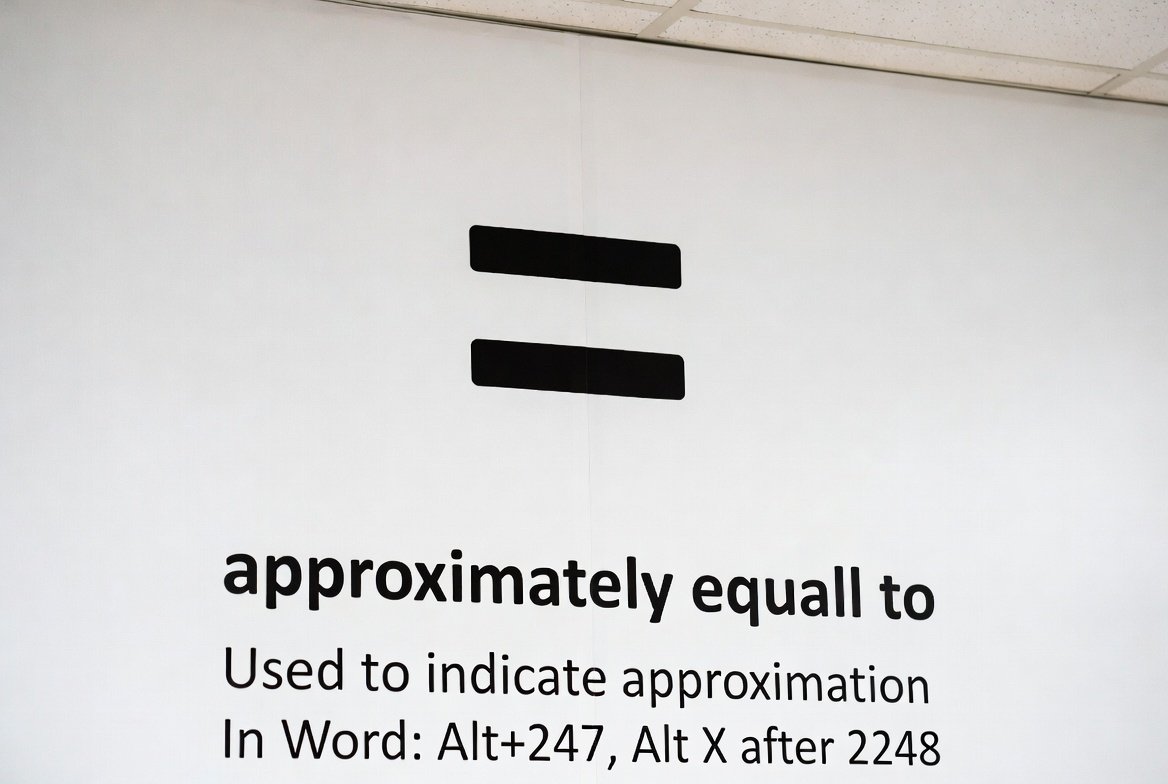
Approximately Symbol: Meaning, Usage, and How to Write It
When you see the approximately symbol, it’s usually trying to tell you that a number or value is not exact but very close. Many students, scientists, and everyday users often ask, “what is the symbol for approximately?” In simple terms, this symbol looks like two wavy lines stacked on top of each other (≈).
Whether you’re writing math problems, coding in LaTeX, or typing on your keyboard, knowing how to use the approximately symbol can save time and make your text look professional. In this guide, we’ll cover everything from the basics to advanced tips for Mac, Windows, and digital documents.
What is the Symbol for Approximately?
The approximately symbol is written as “≈”. It is used to indicate that a number is not exact but very close to the actual value. For example, if the real number is 3.14159, you might write it as ≈ 3.14.
People often ask, “what symbol means approximately?” and the answer is simple: it’s always the wavy equal sign (≈). This small symbol plays a big role in math, science, and everyday writing when precision isn’t required.
How to Write the Approximately Symbol
Writing the approximately symbol depends on the device you are using. On Windows, you can use the Alt code 247. On Mac, it’s Option + X. Many people also copy and paste it directly from the internet or character maps.
For LaTeX users, the command is \approx. This method is commonly used in academic and scientific papers. By learning these simple shortcuts, you can quickly insert the approximately symbol anywhere you type.
Approximately Symbol on Keyboard
Wondering how to type the approximately symbol on keyboard? On Windows: hold Alt and type 247. On Mac, press Option + X. If you don’t remember the shortcuts, copying and pasting works perfectly in Word, Excel, or Google Docs.
Keyboard shortcuts make writing faster and help you avoid searching for the symbol every time. Whether you’re doing homework, writing a report, or sending a text, this trick is handy.
Approximately Symbol LaTeX
For anyone working with LaTeX, the approximately symbol is written using \approx. It’s widely used in academic papers to show values that are close but not exact.
Example:
\pi \approx 3.14
This tells readers that π is roughly 3.14, not exactly. Using LaTeX ensures professional formatting in documents, presentations, and research papers.
Approximately Symbol Alt Code
The approximately symbol Alt code is 247 on Windows. Hold Alt, type 247, and release. The symbol ≈ appears instantly.
This method is useful for Word, Excel, or text editors that don’t have special math symbols in the toolbar. It’s one of the quickest ways to type the equals approximately symbol without using copy-paste every time.
Approximately Symbol Mac
On Mac, you can type the approximately symbol by pressing Option + X. This shortcut works in most applications including Word, Pages, and email clients.
You can also use the Character Viewer on Mac to insert the symbol by searching for “approximately.” This is helpful if you occasionally need the symbol and don’t want to memorize the shortcut.
Equals Approximately Symbol
The equals approximately symbol (≈) is different from the regular equals sign (=). It is used when the values are close but not exact.
Example:
- Exact: 2 + 2 = 4
- Approximate: 22 ÷ 7 ≈ 3.14
Using the approximately symbol shows readers you understand the difference between precise and rounded values.
Approximately Symbol Copy and Paste
If shortcuts are tricky, you can always copy and paste the approximately symbol. Here’s the symbol for easy access: ≈
Copying and pasting works across Windows, Mac, Word, Google Docs, and even web pages. It’s a simple trick for people who rarely use the symbol but still want it in their writing.
Shortcut for Approximately Symbol
Here’s a quick reference for shortcuts for approximately symbol:
- Windows: Alt + 247
- Mac: Option + X
- LaTeX: \approx
Knowing these shortcuts saves time and avoids frustration when typing math, statistics, or everyday approximations.
FAQs
1. Is there a symbol for approximately?
Yes! The symbol is ≈, used to show numbers or values that are close but not exact.
2. What is the symbol for approximately equal to?
The approximately equal to symbol is ≈, commonly used in math and science.
3. How do I type the approximately symbol on a Mac?
Press Option + X to insert the ≈ symbol anywhere on Mac.
4. How do I type the approximately symbol on Windows?
Hold Alt, type 247, and release the key. The symbol will appear.
5. How do I write the approximately symbol in LaTeX?
Use the command \approx to display the symbol in LaTeX documents.
6. Can I copy and paste the approximately symbol?
Absolutely! Here’s the symbol: ≈. You can copy and paste it anywhere you need.
Conclusion
The approximately symbol is small but powerful. It helps you communicate numbers that are close to exact values without being misleading. Whether you’re typing on Windows, Mac, or using LaTeX, learning the shortcuts and methods ensures your work looks professional and precise.